FTP Files Using the Internet Transfer Control
Using the Microsoft Internet Transfer Control you
can easily FTP files between a client and host
computer. This program contains a class module that exposes methods allowing
you to send and receive one or more files to or from a host computer using the
File Transfer Protocol.
Download Source Code
The heart of this project is a class module that consists of several methods to
Get and Put files between a local and remote computer via FTP.
The FTP operations themselves are handled by the Internet
Transfer Control.
My class module exposes an FTPInit method which is
used to initialize the FTP session by setting your user ID, password, proxy
information, remote port (see table), timeout period,.... FTPInit
must be the first method called. Conversely, FTPClose
terminates your FTP session and should be the last method called.
Port
|
Service
|
21
|
File Transfer Protocol (FTP)
|
25
|
Simple Mail Transfer Protocol (SMTP)
|
79
|
Finger
|
80
|
Hypertext Transfer Protocol (HTTP)
|
443
|
Secure Hypertext Transfer Protocol (HTTPS)
|
666
|
DOOM multiplayer game port
|
In between are FTPGet and FTPPut
methods which, as their names imply, get a file from a remote server and send a
file to the server. Basically, they invoke the control's Execute
method passing it the Get or Put command and the information
about the file to transfer.
Also included are FTPGetAll and FTPPutAll
methods. FTPGetAll will retrieve all files from
the host that match a particular condition. For example, all files ending with
".txt". FTPPutAll does the opposite. It looks
through a folder on your local machine for all files matching a given string
and sends them to the host.
The class module is a standalone module that you can include in your project.
Since the Internet Transfer Control must reside on a form, you must include
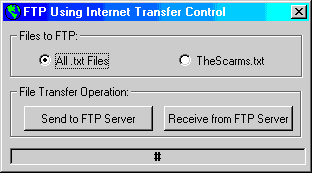
frmFTP as well. Form Main shows how to instantiate and call the class module.
You need FTP access to a remote computer. After that, the program is self
explanatory. It assumes C:\Temp for a local folder and TheScarms.txt for a
local file. You can change this information in the load event of form Main.
|